
Android POS Machine India: A Complete Guide for Smart Retail Payments
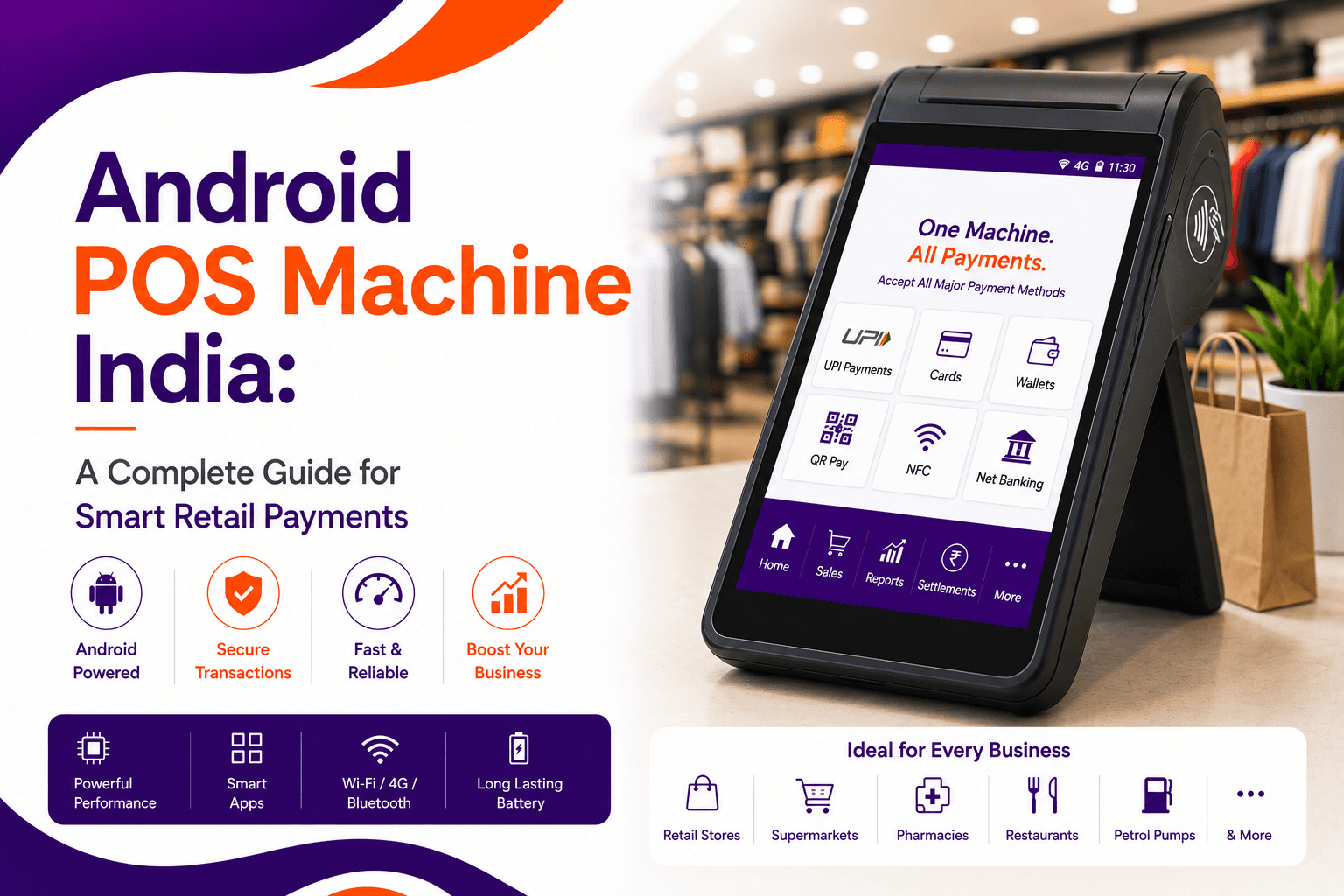
An Android POS machine is a smart payment terminal that runs on Android. It accepts card, UPI and QR payments and also runs billing, inventory and reporting apps on one device. It suits retailers, dealers and small businesses that want payments and operations in one place.
Digital payments keep growing in India, and many merchants now want more than a basic card machine. An Android POS machine takes payments and also helps manage billing, stock and customer data from the same device.
This guide explains how an Android POS works, how it differs from a traditional terminal, what to check before you buy, and where it fits for retail chains, enterprise merchants, SMBs and mobile dealers. For the basics, start with our guide to the POS system full form and how it works.
Table of contents
- What Is an Android POS Machine?
- Android POS vs Traditional POS
- Key Features of an Android POS Machine
- How an Android POS Machine Works
- Benefits of an Android POS Machine
- Who Uses Android POS Machines in India?
- Common Challenges and How to Solve Them
- How to Choose an Android POS Provider
- How Innoviti Supports POS Payments
- Where POS Payments Are Heading
- Frequently Asked Questions
- Conclusion
What Is an Android POS Machine?
An Android POS machine is a payment terminal powered by the Android operating system. Besides taking payments, it can run business apps for billing, inventory management and analytics.
Merchants can usually accept:
- Debit and credit cards
- Contactless payments
- UPI and QR code payments
Exact payment options depend on the device and provider. Retailers often pair the terminal with a merchant payment platform to manage every payment method in one place.
Android POS vs Traditional POS
The main difference is software. A traditional terminal is built to take card payments. An Android terminal runs apps as well.
| Feature | Traditional POS | Android POS |
|---|---|---|
| Main job | Card payments | Payments plus billing and business apps |
| Screen | Basic display and keypad | Touchscreen |
| Apps | Limited or none | Billing, inventory, CRM and reporting apps |
| Reporting | Basic settlement reports | Sales data and analytics, depending on the apps |
| Devices needed | Often a separate billing system | One device can cover both |
| Best for | Simple card acceptance | Retail counters, dealers and growing businesses |
Key Features of an Android POS Machine
- Multiple payment methods: cards, UPI and QR codes on one device.
- Touchscreen interface: simple screens for billing and payment.
- Business apps: inventory, CRM and analytics apps can run on the terminal.
- Secure transactions: encrypted card data and certified hardware protect each payment. See how fraud happens in our guide to payment fraud types and prevention.
- Cloud connectivity: sales and settlement data can be tracked remotely.
How an Android POS Machine Works
- The merchant enters the amountThe sale is entered on the device or pulled from the billing app.
- The customer chooses how to payThe customer taps or inserts a card, or scans a UPI QR code.
- The payment is processedThe device sends the request through a payment gateway to the bank.
- The bank approves or declinesThe bank checks the payment and returns its decision.
- The merchant gets confirmationThe result shows on screen and the receipt is printed or sent.
If you want to see what sits behind step three, read our payment gateway integration guide.
Benefits of an Android POS Machine
- Faster checkout: billing and payment happen on the same screen, which shortens the queue.
- Better business insight: sales data helps you see what sells and when.
- Fewer devices: one terminal can replace a separate billing machine at the counter.
- Easy to scale: the same setup can be repeated across stores.
Fees still matter. See what a card machine can cost in our guide to POS credit card fees in India, and learn how to improve your transaction success rate.
Who Uses Android POS Machines in India?
- Retail chains: billing and payments at the counter, across many stores.
- Enterprise merchants: high transaction volumes that need clean reconciliation. See automated payment reconciliation.
- SMBs: one device for billing and payments in a small shop.
- Mobile dealers: card and EMI sales at the counter.
Merchants who also sell online can read how to take payments on social platforms in our guide to accepting payments on social media.
Common Challenges and How to Solve Them
| Challenge | What to do |
|---|---|
| Integration with existing software | Ask the provider which billing and ERP systems it supports before you buy. |
| Security risk | Choose PCI PTS approved devices and a PCI DSS compliant provider. |
| Maintenance cost | Compare device support, software updates and replacement terms up front. |
| Limited customisation | Check whether the apps and settings fit how your store works. |
How to Choose an Android POS Provider
- List the payment methods you needCards, UPI, QR, EMI. Confirm each one is supported on the device.
- Check authorisation and securityThe provider should be RBI-authorised and PCI DSS compliant, with certified devices.
- Ask about settlement and feesGet settlement time, charges and any device costs in writing.
- Test the appsMake sure billing, inventory and reporting work for your daily routine.
- Plan for supportFind out how installation, repairs and failed transactions are handled. Compare providers with our guide to payment aggregator vs payment gateway.
How Innoviti Supports POS Payments
Innoviti is an RBI-authorised Payment Aggregator for online and in-store payments. It holds PCI DSS, P2PE and PCI PIN certifications, and supports card, UPI and EMI payments through one system.
Innoviti UniPay
Payment and reconciliation platform for large retailers. Handles card, UPI and cash reconciliation from one dashboard.
Explore UniPay →Innoviti Genie
Sales acceleration platform for dealers. Card settlements in under 15 seconds and extra dealer margins of up to 1%.
Explore Genie →Innoviti Link
Payment collection app that works without a POS machine or website. Accepts card, UPI and EMI payments through payment links.
Explore Link →Want to see how other providers compare? Read our comparison of leading online payment companies in India.
Where POS Payments Are Heading
- More UPI at the counter: terminals increasingly combine card and UPI acceptance. See how UPI QR codes work for retailers.
- Smarter analytics: payment data is being used to flag risky payments and spot sales trends.
- Automation: reconciliation and settlement checks are moving off spreadsheets and into software.
Frequently Asked Questions
What is an Android POS machine?
An Android POS machine is a smart payment terminal that runs on the Android operating system. It accepts card, UPI and QR payments and can also run billing, inventory and reporting apps on the same device.
How is an Android POS different from a traditional POS machine?
A traditional POS terminal mainly takes card payments. An Android POS adds a touchscreen and an app layer, so one device can handle billing, inventory, customer records and payments.
How does an Android POS machine work?
The merchant enters the amount, the customer pays by card, UPI or QR, and the device sends the request through a payment gateway to the bank. The bank approves or declines it, and the device shows the result at once.
What payment methods does an Android POS accept?
Most Android POS machines accept debit and credit cards, including contactless taps, and UPI through a QR code. Some also support wallets and EMI. Check the exact list with your provider before you buy.
Are Android POS machines secure?
They can be, when the device and provider meet industry standards. Look for PCI PTS approved hardware, encrypted card data, a PCI DSS compliant provider and regular software updates. Fraud monitoring on the merchant side adds another layer.
Can small businesses use an Android POS machine?
Yes. Small shops can use one device for billing and payments instead of separate machines. If you only need to collect payments occasionally, a payment link app can be a lighter option.
What should I check before choosing an Android POS provider?
Ask about the payment methods supported, settlement time, device and software support, fees, app integrations and how disputes are handled. Make sure the provider is RBI-authorised and PCI DSS compliant.
How does Innoviti support POS payments?
Innoviti is an RBI-authorised Payment Aggregator with PCI DSS, P2PE and PCI PIN certifications. Its UniPay, Genie and Link products support card, UPI and EMI payments for retailers, dealers and merchants across India.
Conclusion
An Android POS machine brings payments and everyday store operations onto one device. That can mean faster checkout, clearer sales data and fewer machines at the counter.
Before you choose one, check the payment methods supported, security certifications, settlement time, fees and support. The right setup depends on your volume and how many stores you run.
Innoviti gives retailers, dealers and merchants RBI-authorised, PCI DSS compliant payment infrastructure for card, UPI and EMI acceptance across India.
Traditional POS
Android POS
What to check before you buy
Features differ by device and provider. Confirm details before purchase.
Need to collect payments without a POS machine? Send a payment link and accept card, UPI and EMI.
See how Innoviti Link works